Web designers and SEOs often clash over the use of heavy aesthetic elements, particularly high-definition background videos. However, Google Search Advocate John Mueller has provided reassurance that these heavy assets are unlikely to harm search performance, provided they are implemented with performance in mind.
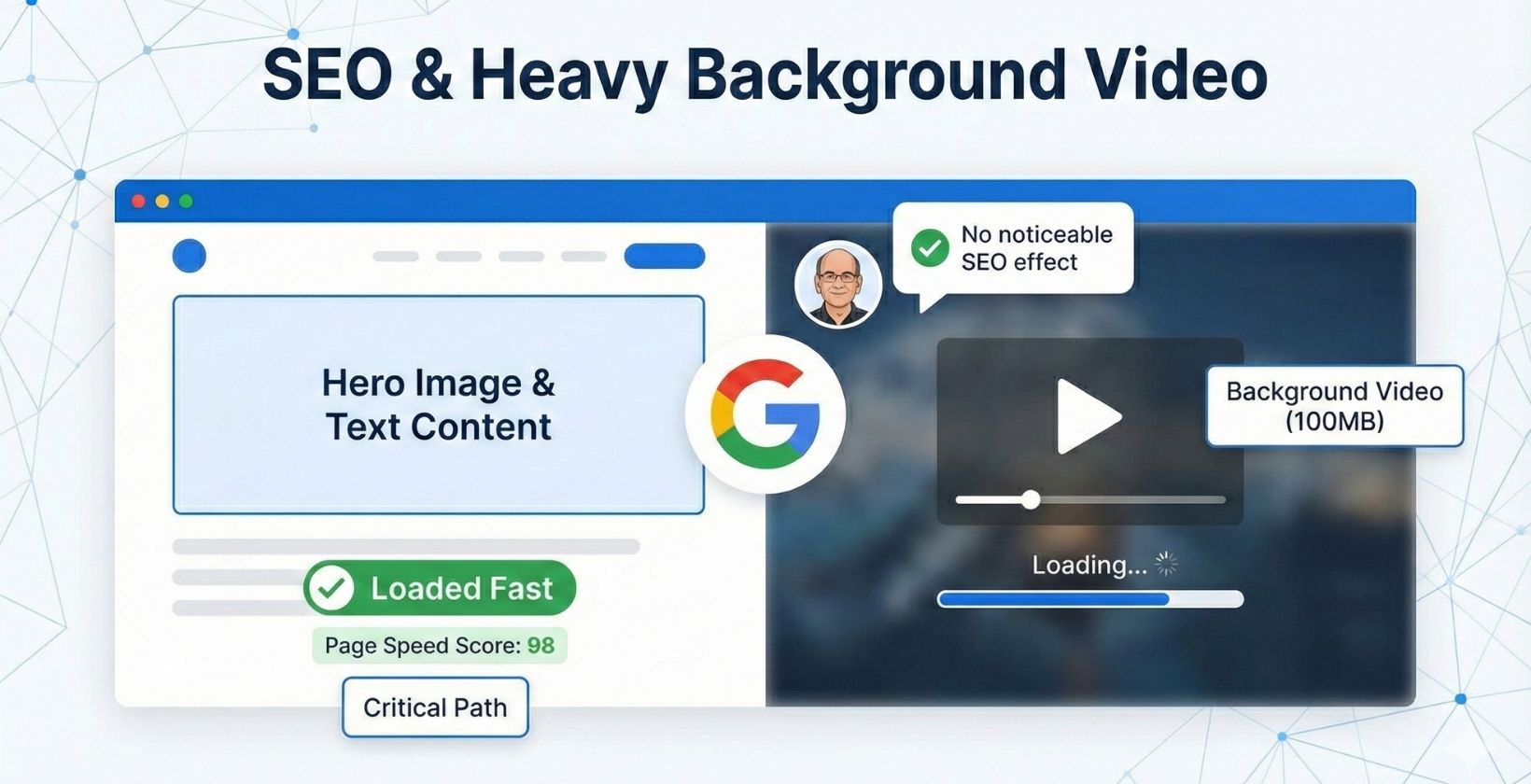
Responding to a discussion on Reddit, Mueller clarified that even massive video files up to 100MB should not trigger a noticeable SEO penalty if they are loaded asynchronously after the user can already see and interact with the page.
The Scenario: 100MB Video vs. Page Speed
The discussion originated from a site owner concerned about a specific design implementation. The user described a setup where:
- The page immediately loads a static hero image and text content (taking only a few seconds).
- A 100MB video loads in the background (asynchronously).
- Once fully downloaded, the video replaces the static image.
The user questioned if the sheer size of the background asset would flag the page as “slow” to Google, despite the immediate visual rendering.
Mueller’s response was straightforward:
“I don’t think you’d notice an SEO effect.”
Why This Strategy Works
Mueller’s comment aligns with how Google measures Page Experience and Core Web Vitals. The ranking algorithms primarily focus on how quickly the user can see and interact with the content (Largest Contentful Paint or LCP).
Because the site prioritizes the hero image and text, the “perceived load time” is fast. The browser downloads the heavy video file in the background without blocking the main thread or delaying the initial render. Since the user perceives the site as fully loaded immediately, the subsequent bandwidth usage for the video has a negligible impact on the ranking signals associated with speed.
Technical Best Practices for Background Video
While Mueller gave the green light, the execution is critical. Simply placing a 100MB video file on a page without deferred loading would almost certainly destroy LCP scores.
To replicate the “safe” implementation discussed, developers should follow Google’s recommended patterns for lazy loading and media handling:
- Use
preload="none": This attribute on the<video>tag prevents the browser from downloading video data until it is strictly necessary or requested. - Utilize Poster Images: Always include a
posterattribute. This serves as the lightweight placeholder image that users see immediately while the video buffers or downloads. - Intersection Observer API: For videos that autoplay or appear lower on the page, use the Intersection Observer API to only begin loading the video source when the element enters the user’s viewport.
By decoupling the heavy media download from the critical rendering path, site owners can maintain high-impact visuals without sacrificing the technical metrics Google prioritizes.